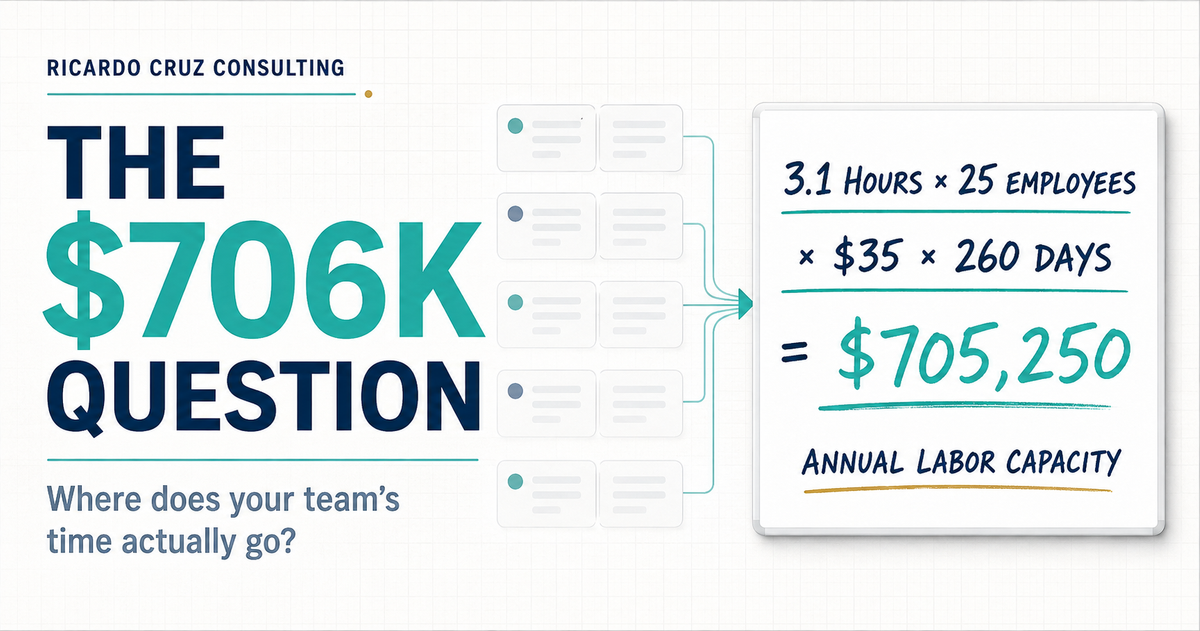
Nobody approved a $706,000 administrative budget
It accumulated quietly.
Four minutes copying customer information into another system. Seven minutes reformatting a report. Twelve minutes finding the latest version of a document. Twenty minutes coordinating an appointment that should have taken one confirmation.
Each task feels too small to become a leadership issue. Across a team, however, small tasks become a capacity system.
Mullins (2026) reports that the average employee in a small or midsize business spends 3.1 hours per day on administrative work that does not directly generate revenue. That is 38.75% of an eight-hour workday. For a 25-person company with a $35 loaded hourly cost, the planning math looks like this:
3.1 hours × 25 employees = 77.5 hours per day
77.5 hours × $35 loaded hourly cost = $2,712.50 per day
$2,712.50 × 260 paid weekdays = $705,250 per year
Rounded, that is the $706,000 question. It also represents 20,150 hours of annual labor capacity. Using 250 working days instead of 260 produces $678,125. The exact estimate changes with your assumptions; the operating question does not.
Where are your team’s hours actually going?
This calculation does not mean every administrative hour is waste, nor does it promise $705,250 in cash savings. Some administrative work protects quality, compliance, customers, and cash flow. The number is a prompt to measure the work before approving another hire or buying another automation platform.
Mullins (2026) attributes the 3.1-hour estimate to U.S. Small Business Administration data. Because the underlying SBA report was not publicly available for independent review when this article was prepared, Ricardo Cruz Consulting treats 3.1 hours as a planning benchmark, not a universal fact.
Other research points to the same capacity problem
The 3.1-hour estimate is not the only signal that low-value work consumes a large share of the workday. In a survey of 10,281 desk workers, Slack (2024) found that respondents reported spending 41% of their time on work they considered low value, repetitive, or lacking meaningful contribution. Common examples included unnecessary meetings, low-value email, and redundant tasks.
Microsoft’s telemetry and survey research describes a similarly fragmented day. During core working hours, employees can be interrupted by a meeting, email, or notification about every two minutes. Microsoft also reported that 48% of employees described their work as chaotic and fragmented, while 52% of leaders said productivity must increase (Microsoft, 2025).
These studies are not directly comparable. They use different populations, definitions, and methods. Together, they point to the same management problem: capacity loss is often distributed across hundreds of small actions, so nobody sees the total.
When a capacity request reaches the founder
The problem usually arrives as a staffing request, not a process diagnosis.
Sam, the operations lead, tells Owen, the founder, “The team is at capacity. We need another person.” Owen can see the pressure. Customers are waiting. Reports are late. People are staying online longer. Hiring appears to be the responsible answer.
Before approving the role, Owen needs a different set of questions:
- Which recurring workflows consume the most hours?
- Which work is required, and which work exists because the process is unclear?
- Where does information get copied, corrected, chased, or re-entered?
- Which decisions return to the founder because ownership or thresholds are missing?
- Would another person remove the constraint, or absorb the same friction?
If leadership cannot answer those questions, the organization does not yet know whether it has a headcount problem or a process problem.
“Administrative work” is too vague to solve
When a team says it is buried in admin work, classify the work before trying to remove it.
Mullins (2026) highlights recurring categories such as expense reporting, scheduling, invoice processing, data entry, document handling, onboarding, and customer follow-up. Manual expense reporting alone can consume three to five hours per employee each month, while manual scheduling can drain three to five hours per week in service businesses (Mullins, 2026).
Scheduling friction, for example, may include several different problems:
- collecting availability;
- waiting for confirmation;
- rescheduling after a conflict;
- entering the same appointment in multiple systems;
- sending reminders manually;
- finding the right employee, room, equipment, or location;
- escalating an exception because the rules are unclear.
Those are not one problem. Some steps may be required. Some may be removable. Some may need a clearer rule. Some may be suitable for automation. Classification prevents leadership from treating every administrative minute as waste.
Why the work remains invisible
It is distributed
No single employee sees the total. Ten minutes here and fifteen minutes there do not feel strategic, even when they are repeated across 25 people.
It happens in small increments
Large delays trigger attention. Repeated two-minute interruptions rarely do, even though interruption costs compound across a workday.
It is buried inside job descriptions
“Coordinate,” “follow up,” “prepare,” and “manage” can hide dozens of manual touches. Leadership sees the outcome, not the path employees take to produce it.
It grew gradually
The work accumulated task by task. A temporary spreadsheet became permanent. A workaround became policy. A founder approval added during a difficult month never disappeared. Nobody made one obviously expensive decision, and nobody audited the combined cost.
Run a two-week friction audit
Mullins (2026) recommends tracking repeated work for two weeks before deciding what to automate. Ricardo Cruz Consulting uses that idea as a friction audit: a short diagnostic that makes distributed work visible without launching a months-long process-mapping project.
For two weeks, ask every participating employee to record:
- the repeated task;
- the event that triggers it;
- how often it occurs;
- how long it takes;
- who performs it;
- which system or document is involved;
- where the employee waits;
- what information is missing;
- where rework or correction occurs;
- who approves exceptions;
- the business outcome the task is meant to produce.
Do not ask people to prove that they are productive. Ask them to reveal friction in the system. That distinction matters. A punitive time study produces defensive data; a process audit produces useful data.
At the end of the two weeks, annualize each task:
(Minutes per occurrence × weekly volume × 50 working weeks ÷ 60) × loaded hourly cost
Then rank the list by annual hours and annual cost. The list is usually longer than leadership expects. More importantly, a small number of workflows often account for a disproportionate share of the total. Start with the top three.
If the work keeps returning to the founder, test the handoff
Some administrative work persists because the task is poorly designed. Other work persists because a handoff is incomplete and every exception travels back to the founder.
The Friday Handoff Test asks a leader to transfer one recurring responsibility before the end of the week and define six elements:
- the outcome;
- the owner;
- the trigger;
- the deadline;
- the decision threshold;
- the escalation rule.
Observe the handoff for five business days. If the work returns to the founder, identify which element was missing and repair that element first. Do not begin by writing a complete standard operating procedure for every possible situation. Begin with one real transfer of responsibility and learn from the failure point (Cruz, 2026).
If your audit shows that work repeatedly returns to the founder, the Friday Handoff Test is the next practical step. If you are not yet sure whether the larger constraint is handoff failure, workflow friction, founder dependency, or missing systems, start with the Growth Capacity Assessment.
Decide what should happen to each task
Once the audit is complete, every high-cost task needs a disposition.
Remove
Stop work that no longer protects a customer, financial, compliance, quality, or operating outcome.
Clarify
Define the expected result, owner, trigger, deadline, decision threshold, and exception path. Many “efficiency” problems are actually ambiguity problems.
Simplify or combine
Reduce handoffs, duplicate entry, approvals, systems, and report formats. A cleaner workflow may recover capacity without adding software.
Automate
Automate stable, repeated rules after the process has been clarified. McKinsey Global Institute estimates that technologies available today could automate activities representing 57% of current work hours, but the largest gains depend on redesigning workflows, not merely adding tools to existing tasks (Yee et al., 2025).
A broken process executed faster is still a broken process. Automation just changes where the roadblock appears.
Assign exception ownership
Every automated or standardized workflow still needs a human owner for unusual cases. Define the threshold that triggers intervention and the person authorized to decide.
Recovered hours are capacity, not automatic savings
When a workflow requires fewer manual hours, payroll does not automatically fall. The business has recovered capacity. Leadership must decide how to deploy it.
Recovered time can create value when it is used to:
- serve more customers without adding headcount;
- respond to leads and customers faster;
- accelerate billing or collections;
- reduce overtime, errors, or rework;
- improve service quality;
- develop employees;
- delay a future hire;
- return planning time to the founder and management team.
Measure the operational result, not just the hours. If the team saves five hours per week but those hours dissolve into more inbox activity, the business has not captured the value.
Measure before you add another person
Sam may still be right. The company may need another employee. The friction audit does not assume that hiring is wrong. It gives Owen enough evidence to determine what the hire should solve.
If the audit shows that customer demand exceeds a well-designed workflow, add capacity with confidence. If it shows that the team is carrying duplicate entry, unclear approvals, avoidable scheduling, and founder-dependent decisions, repair those workflows first.
The lesson is simple: do not hire someone to inherit work the company has never examined.
Find your real capacity constraint
If your team is busy, service is slowing down, and another hire feels inevitable, begin with evidence. The Growth Capacity Assessment helps identify whether your next constraint is people, process, tools, decision rights, or founder dependency.
Take the Growth Capacity Assessment
References
Cruz, R. (2026). The Friday handoff test [PDF]. Ricardo Cruz Consulting.
Microsoft. (2025, June 17). Breaking down the infinite workday. WorkLab. https://www.microsoft.com/en-us/worklab/work-trend-index/breaking-down-infinite-workday
Mullins, G. (2026, March 28). Automate 40% of your busywork: A business workflow guide (2026). US Tech Automations. https://ustechautomations.com/resources/blog/business-workflow-automation-pain-solution-2026
Slack. (2024, February 27). New Slack research shows accelerating AI use and quantifies the “work of work.” https://slack.com/blog/news/new-slack-research-shows-accelerating-ai-use-at-work
Yee, L., Madgavkar, A., Smit, S., Krivkovich, A., Chui, M., Ramírez, M. J., & Castresana, D. (2025, November 25). Agents, robots, and us: Skill partnerships in the age of AI. McKinsey Global Institute. https://www.mckinsey.com/mgi/our-research/agents-robots-and-us-skill-partnerships-in-the-age-of-ai