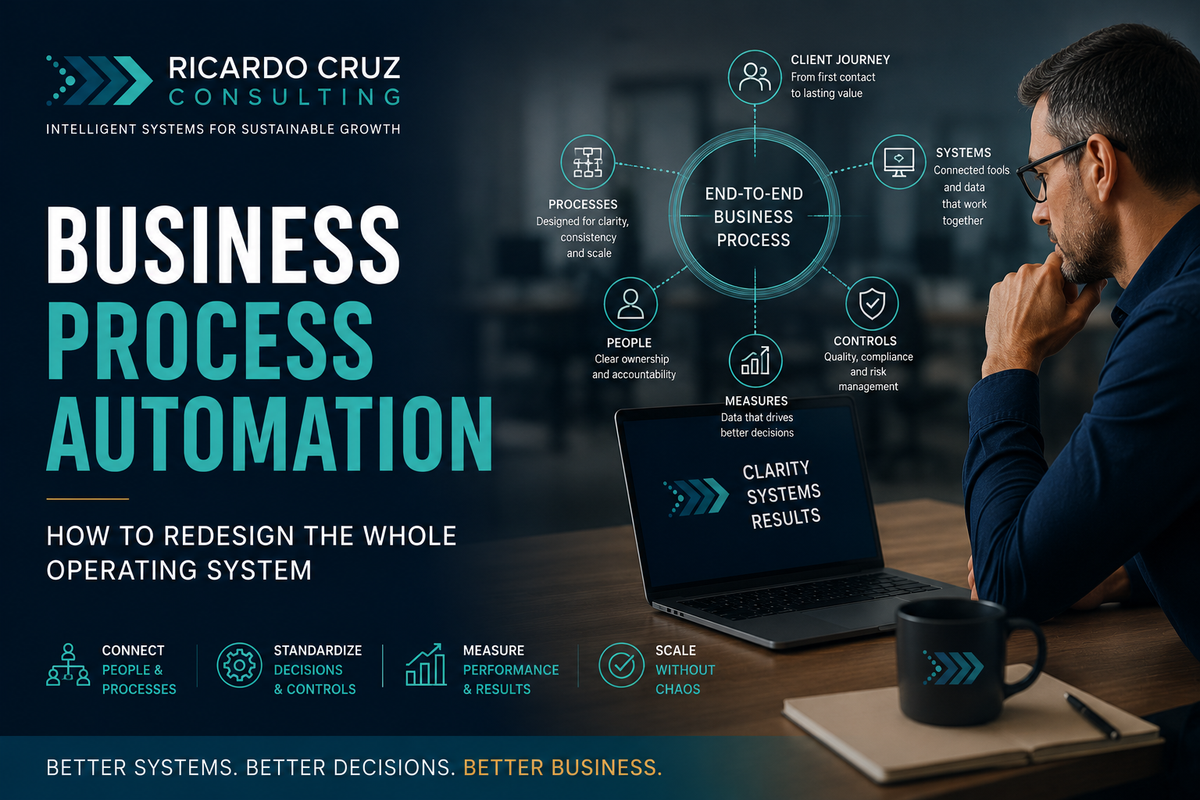
Business process automation is the redesign and coordination of an end-to-end business process so work can move across people, systems, decisions, and controls with less friction and more consistency.
That is broader than automating a single task or workflow.
A workflow might route a signed contract to the delivery team. A business process includes everything that must happen from the moment a qualified prospect agrees to buy until the client is successfully onboarded, the work is delivered, the invoice is paid, and the relationship is ready to continue.
The process crosses departments. It uses multiple systems. It contains decisions, exceptions, approvals, records, and handoffs. It also needs an owner who is accountable for the complete outcome, not only one step.
This is why business process automation should begin with operating design, not software configuration.
What business process automation actually means
Business process automation, often shortened to BPA, uses technology to support a complete business process from trigger to outcome. It connects the individual workflows inside that process and creates a shared operating structure around them.
A well-designed business process defines:
- The outcome the process must produce
- The event that starts it
- The customers or stakeholders it serves
- The people accountable for each decision
- The workflows that move the work forward
- The systems and data required
- The approvals, controls, and exception paths
- The measures that show whether the process is working
- The person who owns the end-to-end result
The automation comes after those elements are understood.
Without that structure, a company may automate several tasks while the overall process remains slow, confusing, and dependent on senior intervention.
Business process automation vs. workflow automation
Workflow automation improves a specific sequence
Workflow automation focuses on a defined series of repeatable steps. It may assign tasks, move information, send reminders, route approvals, or update a record.
Examples include:
- Creating onboarding tasks after a contract is signed
- Sending appointment reminders
- Requesting missing documents
- Routing an expense for approval
- Notifying an account manager when a client milestone is reached
Business process automation improves the whole outcome
Business process automation looks across multiple workflows and asks whether they work together as one operating system.
For client onboarding, that could include:
- Sales qualification
- Proposal and contracting
- Payment or deposit collection
- Client record creation
- Document collection
- Internal resource assignment
- Kickoff preparation
- Client communication
- Delivery readiness
- Early client-success review
Each area may contain its own workflow. BPA connects them, clarifies ownership, removes duplication, establishes controls, and measures the complete client experience.
Workflow automation is the tactical layer. Business process automation is the system-level design that determines how those workflows should operate together.
Why service businesses need a process-level view
Service businesses often grow through expertise, relationships, and individual effort before they develop formal operating processes.
At first, that can work. The founder knows every client. Senior employees remember the exceptions. Teams solve problems through direct communication. When something stalls, an experienced person steps in and pushes it forward.
As volume increases, the same operating model becomes fragile.
The business may experience:
- Different teams following different versions of the same process
- Clients receiving inconsistent instructions or updates
- Information being entered into several systems
- Decisions waiting for the founder or one senior employee
- Employees creating side spreadsheets to track missing work
- Approvals that exist because of history rather than risk
- Repeated meetings used to reconstruct status
- Errors appearing far downstream from where they began
- Technology that supports departments but not the complete process
These symptoms are often treated as staffing or software problems. Frequently, they are process architecture problems.
The architecture of an end-to-end business process
A complete business process is more than a diagram of tasks. It is an operating agreement that explains how the company produces a repeatable outcome.
Seven elements are especially important.
1. A defined process outcome
Start with the result the process exists to create.
For client onboarding, the outcome is not simply sending a welcome email. It may be a client who understands what happens next, has provided the required information, has been assigned to the correct team, and is ready for delivery by an agreed date.
A clear outcome prevents individual departments from optimizing their own steps while weakening the full experience.
2. A clear trigger and finish point
Every process needs a defined beginning and end.
A lead-to-client process may begin when a prospect meets qualification criteria and end when the contract and initial payment are complete. A client onboarding process may begin at that point and end when delivery readiness is confirmed.
Without boundaries, responsibilities overlap and work falls between teams.
3. End-to-end ownership
Departments can own workflows. One person still needs accountability for the complete process.
The process owner monitors the outcome, resolves cross-functional gaps, approves changes, and ensures local improvements do not create problems elsewhere.
This does not mean that person performs every step. It means someone can answer for how the process performs as a whole.
4. Decision rights
Automation requires the business to distinguish routine rules from judgment.
For each decision, define:
- Who has authority
- What information is required
- What thresholds apply
- When approval is necessary
- What can proceed automatically
- What conditions require escalation
Unclear decision rights are one of the main reasons work waits for the founder even when the team is capable.
5. Shared data definitions
Connected processes depend on consistent information.
If sales, operations, finance, and client service use different definitions for client status, project stage, service type, or completion, automation will spread confusion rather than remove it.
The business needs a small set of shared definitions, required fields, and systems of record.
6. Controls and exception paths
Controls protect quality, compliance, financial accuracy, client commitments, and access to sensitive information.
The goal is not to add approval to every step. It is to place the right control at the point where a meaningful risk exists.
A strong process also defines what happens when the normal path fails. Exceptions should be visible, owned, and measured rather than handled through private messages and memory.
7. Measures tied to the complete outcome
Department metrics are useful, but they can hide process failure.
Sales may report a signed agreement on time while onboarding waits a week for missing information. Operations may complete its tasks while the client remains confused. Finance may issue the invoice while disputes delay payment.
End-to-end measures reveal how the process performs for the business and the client.
Signs your business is ready for business process automation
A company does not need to be large before BPA becomes valuable. It needs a process that crosses boundaries and is creating enough friction to justify redesign.
Common signs include:
The same client information is collected more than once
Repeated collection usually means systems or teams are not sharing a common record.
Work moves through several departments without one owner
Each team may complete its part while the overall outcome remains delayed.
The founder is the default exception handler
The process works only because the founder interprets unclear rules, resolves conflicts, and knows who to contact.
Employees maintain shadow systems
Side spreadsheets, private task lists, and manual status reports indicate that the official process does not provide enough visibility or trust.
A local improvement creates a downstream problem
One department becomes faster, but the next team receives incomplete information, a larger queue, or more exceptions.
The business cannot explain process performance
Leaders know the team is busy, but they cannot reliably state cycle time, failure rates, rework, waiting time, or the point where work most often stalls.
Growth requires more coordination than delivery
New clients or employees create a disproportionate increase in meetings, reminders, approvals, and founder involvement.
Which business processes should be automated first
The best BPA candidate is not necessarily the largest process. It is a process with meaningful business impact, repeatable volume, visible friction, and enough stability to redesign.
For a founder-led service business, strong candidates often include:
Lead to client
This process connects qualification, discovery, proposals, contracting, payment, and handoff to delivery.
It is a strong candidate when leads receive inconsistent follow-up, proposals require manual reconstruction, or signed clients disappear between sales and operations.
Client onboarding to delivery readiness
This process coordinates client communication, information collection, internal setup, resource assignment, and kickoff preparation.
It is a strong candidate when onboarding quality depends on who sold the work or which employee happens to manage the handoff.
Service request to resolution
This process includes intake, classification, ownership, execution, escalation, client communication, and closure.
It is a strong candidate when work arrives through several channels, priority is unclear, or leaders spend time chasing status.
Invoice to cash
This process connects delivery confirmation, invoice creation, approval, delivery, follow-up, dispute handling, and payment reconciliation.
It is a strong candidate when billing is delayed, invoices require extensive manual preparation, or finance lacks visibility into operational completion.
Hire to productivity
This process includes role definition, recruiting handoff, preboarding, access, training, process documentation, manager checkpoints, and readiness to work independently.
It is a strong candidate when new employees spend weeks reconstructing how the company operates.
The RCC business process automation method
At Ricardo Cruz Consulting, business process automation begins by redesigning the operating system around an important outcome. Technology is introduced only after the process has been made clear enough to support it.
The method has seven stages.
1. Define the outcome and customer
Identify who the process serves and what must be true when the process is complete.
The customer may be external, such as a paying client, or internal, such as the delivery team receiving a complete onboarding package.
2. Map the process from end to end
Document the process across departments and systems, including unofficial workarounds.
Capture:
- Trigger
- Inputs
- Major stages
- Workflows
- Decisions
- Owners
- Systems
- Data
- Handoffs
- Controls
- Exceptions
- Final outcome
The purpose is not to produce a beautiful diagram. It is to expose how the process actually behaves.
3. Measure friction before redesign
Establish a simple baseline.
Useful measures include:
- Total cycle time
- Active work time
- Waiting time
- Number of handoffs
- Manual data entries
- Rework
- Exceptions
- Approvals
- Founder interventions
- Client questions or complaints
This prevents the team from automating the most visible step while ignoring the largest constraint.
4. Simplify the process
Remove work that does not protect quality, reduce risk, improve the client experience, or create necessary information.
Common opportunities include:
- Eliminating duplicate data collection
- Removing approvals with no meaningful risk purpose
- Combining status updates
- Standardizing required inputs
- Reducing system switching
- Clarifying service variations
- Replacing meetings with visible process status
A process should become simpler before it becomes faster.
5. Establish ownership, decisions, and controls
Assign an end-to-end process owner. Clarify responsibility for each workflow and decision.
Define the normal path, exception path, escalation rules, and controls. Confirm which decisions can be automated and which require human judgment.
6. Automate connected workflows
Build the minimum connected system that supports the redesigned process.
This may include forms, CRM rules, project templates, integration platforms, automated communications, document generation, reporting, or AI-assisted steps.
The individual workflow automations should now support the broader process design rather than operating as isolated improvements.
7. Govern and improve the process
A business process changes as services, clients, systems, risks, and team structures evolve.
Document ownership. Review measures. Track exceptions. Retire workarounds. Update controls. Confirm that teams still use the intended process.
BPA is not a one-time technology installation. It is an operating capability.
A simple business process maturity model
Many service businesses move through four stages.
Stage 1: Person-dependent
The process works because experienced people remember what to do. Status is reconstructed through conversations. Exceptions depend on the founder or one senior employee.
Stage 2: Standardized
The normal process is documented. Roles, required inputs, and key decisions are clearer. Teams still perform much of the coordination manually.
Stage 3: Connected
Systems and workflows exchange information. Routine handoffs, reminders, records, and updates move automatically. The process is visible across teams.
Stage 4: Governed
The process has an accountable owner, meaningful controls, shared measures, documented exceptions, and a regular improvement cycle.
The goal is not to automate every process to Stage 4. The goal is to match process maturity to business value, complexity, and risk.
Where AI fits in business process automation
AI can support parts of an end-to-end process where the input is unstructured or the work benefits from classification, summarization, drafting, or recommendations.
Examples include:
- Summarizing discovery notes for a delivery handoff
- Extracting information from uploaded documents
- Classifying service requests
- Drafting a client status update
- Identifying missing information
- Recommending a routing path
- Detecting patterns in process exceptions
AI should operate within defined boundaries.
For every AI-assisted step, specify:
- Approved inputs
- Permitted outputs
- Data restrictions
- Required review
- Confidence expectations
- Error handling
- Ownership
- Evidence retention when the decision is important
AI can improve a designed process. It should not be used to hide the absence of one.
Common business process automation failures
- Automating departmental tasks without redesigning the full process: Local improvements can shift delay and rework downstream.
- Treating software as the process owner: A system can execute rules. It cannot accept accountability for whether the business outcome is achieved.
- Keeping every historical approval: Automating an unnecessary approval still preserves unnecessary delay.
- Connecting inconsistent data: Integration spreads whatever information it receives. Shared definitions and data ownership must come first.
- Ignoring exceptions: A process that supports only the ideal path will fail during normal business variation.
- Measuring activity instead of outcome: More completed tasks do not automatically mean faster delivery, better quality, stronger margins, or a better client experience.
- Building more complexity than the team can own: The minimum valuable system is often better than an impressive architecture that requires constant outside maintenance.
How to measure whether BPA is working
Business process automation should improve the complete process, not only one task.
Track measures that reflect flow, quality, ownership, and business value.
Useful measures include:
- End-to-end cycle time
- Waiting time between stages
- First-time-right completion
- Rework rate
- Exception rate
- Manual touches
- Approval time
- Founder interventions
- Client response time
- Billing delay
- Process cost
- Employee confidence in the process
- Client questions or complaints caused by process confusion
Choose a small number tied to the original problem. Compare them with the baseline. Review whether any improvement in one stage created harm elsewhere.
The strongest signal is not that automation ran successfully. It is that the process became easier to operate, easier to understand, and less dependent on individual memory.
A practical starting plan
A founder-led service business can begin BPA without launching a large transformation program.
- Select one important cross-functional process.
- Define the end-to-end outcome.
- Name an accountable process owner.
- Map the process as it operates today.
- Measure delay, rework, handoffs, and founder involvement.
- Remove unnecessary work and approvals.
- Clarify decisions, data, controls, and exceptions.
- Automate the connected workflows that support the redesigned process.
- Document ownership and failure handling.
- Review the result before selecting the next process.
Ricardo Cruz is a Fractional COO and Operations Consultant with 15+ years of enterprise operations experience at Fidelity Investments, including a documented 90% reduction in escalations through process redesign. He works with founder-led service businesses to build systems that don't depend on any one person to run.
Related RCC authority guides
Move to the Workflow Automation guide for tactical implementation. Use Operational Efficiency to define the outcome, Founder Dependency to address concentrated authority, and Operational Debt to identify the inherited constraints that must be removed.